Bloodborne for Android
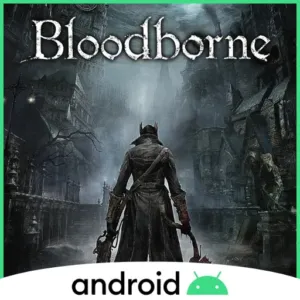
Bloodborne is a dark gothic action RPG set in the ruined city of Yharnam. You explore twisty streets and nightmares, fight fast beasts and bosses, and mix aggressive melee strikes with gun parries. It came out in 2015 for PlayStation 4 and became famous for tense combat and its rally health system.
github.com
We do not host any files. The download links go to the project's official pages.
- Port version
- 2.3.0 Beta
- Android requirement
- Android 9 or newer
- Size (project page)
- 59 MB
- Needs game files
- Yes, from a copy you own
- Last tested
- Tested on
- OnePlus 13, Android 16
- Platforms
- PlayStation 4
Works with issues. On-device native code builds can hit memory limits or heavy heat, pre-patched 60 FPS eboot.bin files can crash in the gestures menu, and Mali GPUs are not supported.
Tested by us on November 18, 2026
Short answer
Bloodborne for Android is an experimental native port of Bloodborne (v1.09) for ARM64 Android devices, and we have not tested it on our own phone yet. You need your own copy of the v1.09 game files, an Android 9 or newer Snapdragon phone, and a native code build.
What is Bloodborne for Android?
Bloodborne for Android adapts FromSoftware’s 2015 PlayStation 4 game Bloodborne (v1.09) for Android devices. It is made and maintained on GitHub by ducvd89, building on open-source work including bloodborne_pc, and it is an unofficial community project rather than a release from Sony or FromSoftware.
A native port compiles and runs a game’s code directly for the target device’s hardware instead of translating it inside a full emulator during play; you can read the full definition on our Guide page. Rather than running a full x86 emulator while you play, this project compiles the game’s x86-64 code ahead of time into native ARM64 code (libbbaot.so), either right on your phone or on a PC with the Bloodborne Android Rebuild Tool, and renders graphics with Vulkan.
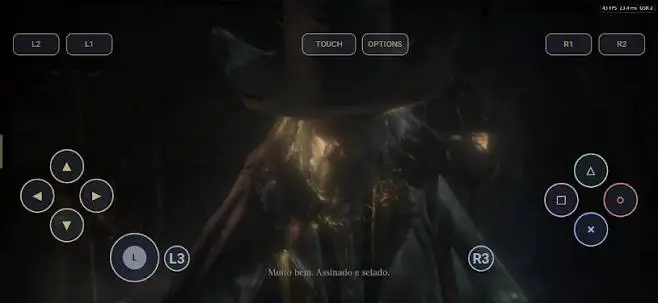
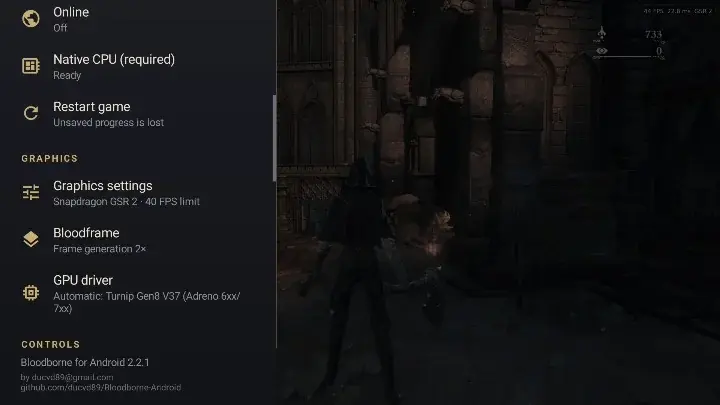
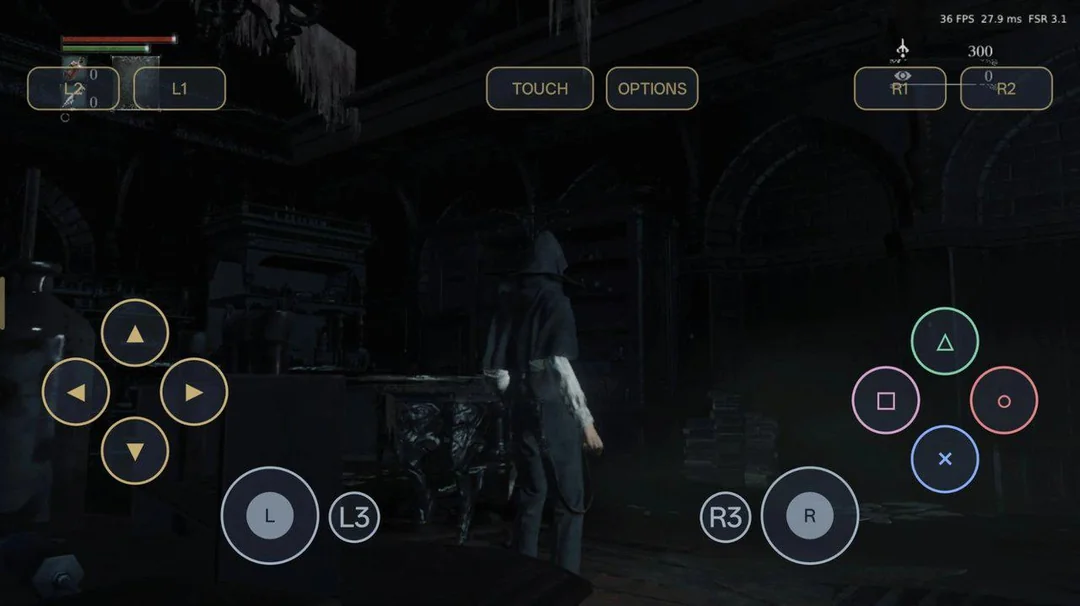
As stated by the project, the app includes upscaling options (GSR 2 and FSR 3.1), Bloodframe frame generation (MAKO-FG or Lossless Scaling LSFG), an on-screen controller, and optional community online features. Because it is an experimental beta release, stability and performance vary across devices.
What you need to run Bloodborne for Android
Needs your own game files. This port does not include the game's data. You need files from a copy you own: Your own copy of Bloodborne v1.09 (the base game PKG and 1.09 update PKG).
- A phone or tablet on Android 9 or newer (as stated by the project)
- A controller is optional: touch controls are built in. An on-screen controller is included with layout editing, and the project also notes physical controller support.
- About 4 GB of free RAM when building native code on your phone
- About 1 GB of free storage while building native code on your phone, plus space for game files
- Charger plugged in and a cool spot without a tight case during on-device builds
- Optional Windows, Linux, or Apple Silicon Mac PC if you prefer building native code on desktop
Where to download Bloodborne for Android
The port: The port itself costs nothing and is open source (GPL-3.0).
- Port version
- 2.3.0 Beta
- Size (project page)
- 59 MB
- Needs game files
- Yes, from a copy you own
- Android requirement
- Android 9 or newer
- Last tested
We do not host any files. These links go to the project's official pages.
How to set up Bloodborne for Android on Android
- Download the latest APK for Bloodborne for Android from the official GitHub releases page.
- Tap Install on the APK file, and turn on install permission for your browser or file manager if Android asks.
- Put your own Bloodborne v1.09 files on your phone, either as the base and 1.09 update PKGs or as an extracted folder holding eboot.bin, sce_module/, and sce_sys/.
- Open Bloodborne for Android and tap allow when Android asks for storage access.
- Pick Install from PKG or select your extracted v1.09 game folder in the app.
- Tap Build on this phone when prompted for native code, or copy a PC-built aot folder next to eboot.bin and select Check again.
- Keep your phone on a charger with the case off until the build finishes, then launch the game and tweak graphics or controls from the side menu.
Tested on our device
Works with issues. On-device native code builds can hit memory limits or heavy heat, pre-patched 60 FPS eboot.bin files can crash in the gestures menu, and Mali GPUs are not supported.
Known issues
| Problem | Fix |
|---|---|
| Pre-patched 60 FPS eboot.bin files are refused or can cause crashes in the gestures menu. | Use the original, unpatched Bloodborne v1.09 eboot.bin. |
| On-device native builds can get killed, freeze, or make the phone very hot when memory is tight. | Close background apps, plug in a charger, take off your phone case, or build the aot folder on a PC with the Bloodborne Android Rebuild Tool. |
| GPU driver errors or crashes can happen on launch or while loading into gameplay. | Try switching GPU drivers in the app menu or check Menu -> Report a problem to save logs for a GitHub report. |
Bloodborne for Android FAQ
How do I download Bloodborne for Android on Android?
Grab the APK straight from the official Bloodborne for Android GitHub releases page rather than random third-party sites. We do not host APKs or game files on this site.
How do I install Bloodborne for Android on an Android phone?
Install the APK from GitHub, grant storage access, add your own Bloodborne v1.09 files, and finish the native code build. Follow the setup steps above so libbbaot.so is ready before you launch.
Can I play Bloodborne for Android on a mid range phone?
The project notes testing on Snapdragon 8 Gen 2 and 8 Elite devices, says Mali GPUs are not supported, and points to needing about 4 GB of free RAM during on-device builds.
How much storage does Bloodborne for Android need?
Exact APK size is 58 MB, while on-device native building needs about 1 GB of free storage while it runs plus room for your v1.09 game files. If you build on a PC, the aot folder is around 125 MB.
Does Bloodborne for Android need game files?
Yes, you have to supply your own Bloodborne v1.09 files from a copy you own. The app does not include the game executable or game data.
What Android version does Bloodborne for Android need?
Project notes list Android 9 or newer on ARM64 devices, and Mali GPUs are not supported.
Does Bloodborne for Android support controllers?
Yes, as stated by the project, with an on-screen controller you can move and resize plus physical controller support. Check the in-app menu and project docs for mapping and vibration details.
Why does Bloodborne for Android crash or not start?
Missing native code, a modified eboot.bin, low memory during a build, or GPU driver trouble can stop it from starting or running cleanly. You can save a logs zip through Menu -> Report a problem to help troubleshoot.
Project credits and disclaimer
- Original game and platform
- Bloodborne (PlayStation 4, 2015)
- Port project and maintainer
- Bloodborne for Android by ducvd89 (building on work from deadinside28/bloodborne_pc and open-source contributors)
- License
- GPL-3.0
- Source repository
- github.com/ducvd89/Bloodborne-Android
We are not affiliated with the port's developers or with the original game's publisher. We do not host game files or APKs: links go to the project's own pages, and any game files come from a copy you own. Game names and trademarks belong to their owners.
Page updated